The Scan tab lists every Bluetooth Low Energy device broadcasting near you, with its advertised name, battery level where the device reports one, and live signal strength. Signal strength is the part that actually finds things: walk around and the number climbs as you get closer.
Requires iOS 17.0 or later·iPhone
How it works
- Open the Scan tabGrant Bluetooth access the first time. Scanning starts immediately, there is no pairing step and nothing to set up.
- Read the listEvery device broadcasting nearby appears with its advertised name. Devices that report battery over BLE show a percentage next to them.
- Pick the one you wantTap it to isolate it. The rest of the list drops away so you are tracking one signal instead of twenty.
- WalkSignal strength rises as you close the distance and falls as you move away. Sweep the room slowly and follow the number up.
- Search where the signal peaksThe strongest reading is your search area, usually within a metre or two. Look under and inside things, fabric and cushions block Bluetooth badly.
When you’d use it
AirPods in a sofa
The single most common find. The case blocks signal when closed, so open it if you can, then sweep the seams and under the cushions.
A device you cannot name
Something is broadcasting in your flat and you do not recognise it. The scanner shows you the advertised name, which is usually enough to identify the make and model.
Checking a room you are not sure about
A hotel room, a rental car, a desk you have just been assigned. See what is transmitting before you decide it is fine.
Requirements
| Platform | iPhone, iOS 17.0 or later |
|---|---|
| Added in | Version 1.0 |
| Permissions | Bluetooth |
| Account needed | No, no sign-up, nothing collected |
| Works offline | Yes |
More of what the app does
Each feature covers a case the others cannot.
- Clap to find your phone, Clap tab
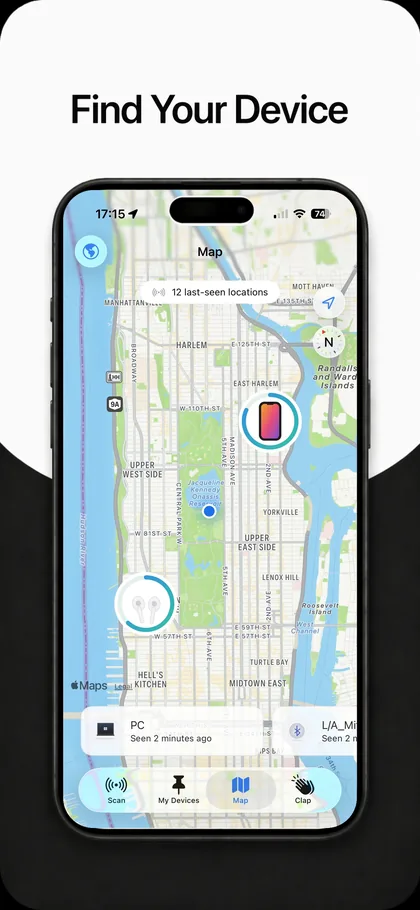
- Last-seen map for your devices, Map tab
- Save the devices you care about, My Devices tab
- See battery on nearby devices, Inside Scan
- How to find something you left at the gym, Method
- How to check whether someone is tracking you, Safety
- All features, the complete list
Common questions
How far does the Bluetooth scanner reach?
Bluetooth Low Energy is usually good for 10 to 30 metres indoors and further outdoors with a clear line of sight. Walls, metal, water and human bodies all cut the range down, so a device two rooms away may not appear at all until you move closer.
Why does a device show no battery percentage?
Battery level is only visible when the device chooses to broadcast it. Apple accessories and most modern headphones do. Cheap tags, older speakers and many car systems do not, so the field is simply blank for them.
Can it find a device that is switched off?
No. A powered-off or fully drained device stops transmitting, and nothing can scan for a signal that is not there. That is what the last-seen map is for, it stores where the device was the last time it did transmit.
Does scanning connect to other people’s devices?
No. The scanner only listens to the advertisement packets that Bluetooth devices broadcast openly. It does not pair, connect, or access anything on those devices.