Every time your iPhone detects one of your saved devices, the app records where you were. The map builds a history of last-seen locations, so a device that has since gone flat still has a pin on it.
Requires iOS 17.0 or later·iPhone
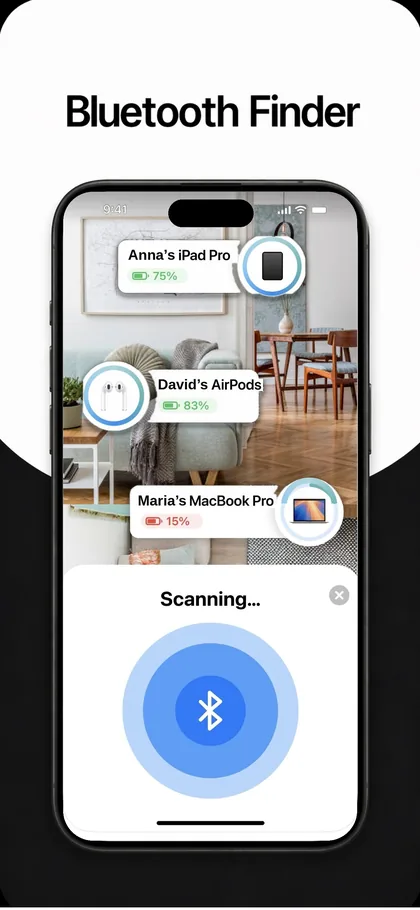
How it works
- Save the devices you care aboutAdd them under My Devices. The app only logs locations for devices you have explicitly saved, not for everything it scans.
- Let it runWhenever your iPhone picks up a saved device, the app stamps the current location and time against it. There is nothing to trigger manually.
- Open the Map tabEvery saved device appears where it was last detected, with a timestamp, seen 2 minutes ago, seen yesterday, and so on.
- Start at the newest pinGo to the most recent location and switch to the Scan tab when you arrive. The map narrows it to a building; the scanner narrows it to a cushion.
When you’d use it
Headphones left somewhere
You had them at the gym, or the office, or a café. The pin tells you which one before you spend an afternoon retracing three of them.
A device whose battery has died
Live scanning is useless once a device stops broadcasting. The last-seen pin was recorded while it was still alive and does not expire when the battery does.
Working out where something dropped
A trail of last-seen points across a day shows you the last place the device was still with you, which is usually where it stopped being with you.
Requirements
| Platform | iPhone, iOS 17.0 or later |
|---|---|
| Added in | Version 1.2, see what’s new |
| Permissions | Bluetooth and Location |
| Account needed | No, no sign-up, nothing collected |
| Works offline | Yes |
More of what the app does
Each feature covers a case the others cannot.
- Save the devices you care about, My Devices tab
- Get warmer, get colder, Inside Scan
- See battery on nearby devices, Inside Scan
- Clap to find your phone, Clap tab
- Bluetooth scan is not finding a device, Troubleshooting
- Bluetooth scan is not finding a device, Troubleshooting
- All features, the complete list
Common questions
Does the map track my devices in real time?
It shows the last place your iPhone detected each device, with a timestamp. If the device is nearby and broadcasting right now, that position is current. If it is out of range, the map shows the last confirmed sighting rather than a guess.
Does it work when the device battery is dead?
Yes, in the sense that matters. The pin was recorded while the device was still transmitting, so it survives the battery dying. What you get is where it was last seen, not where it is now.
Does this need a crowd-sourced network like Find My?
No, and that is the honest limitation. Apple’s Find My network relies on other people’s iPhones spotting your device. This map is built from your own phone’s sightings, so it can tell you where you last had something, not where a stranger has carried it since.
Where is the location history stored?
On your device. The App Store privacy label for the app is Data Not Collected, there is no account, and the location history is not uploaded to a server.